This project is scheduled for launch
Launch date: Friday, November 20, 2026 at 08:00 AM UTC
Scheduled
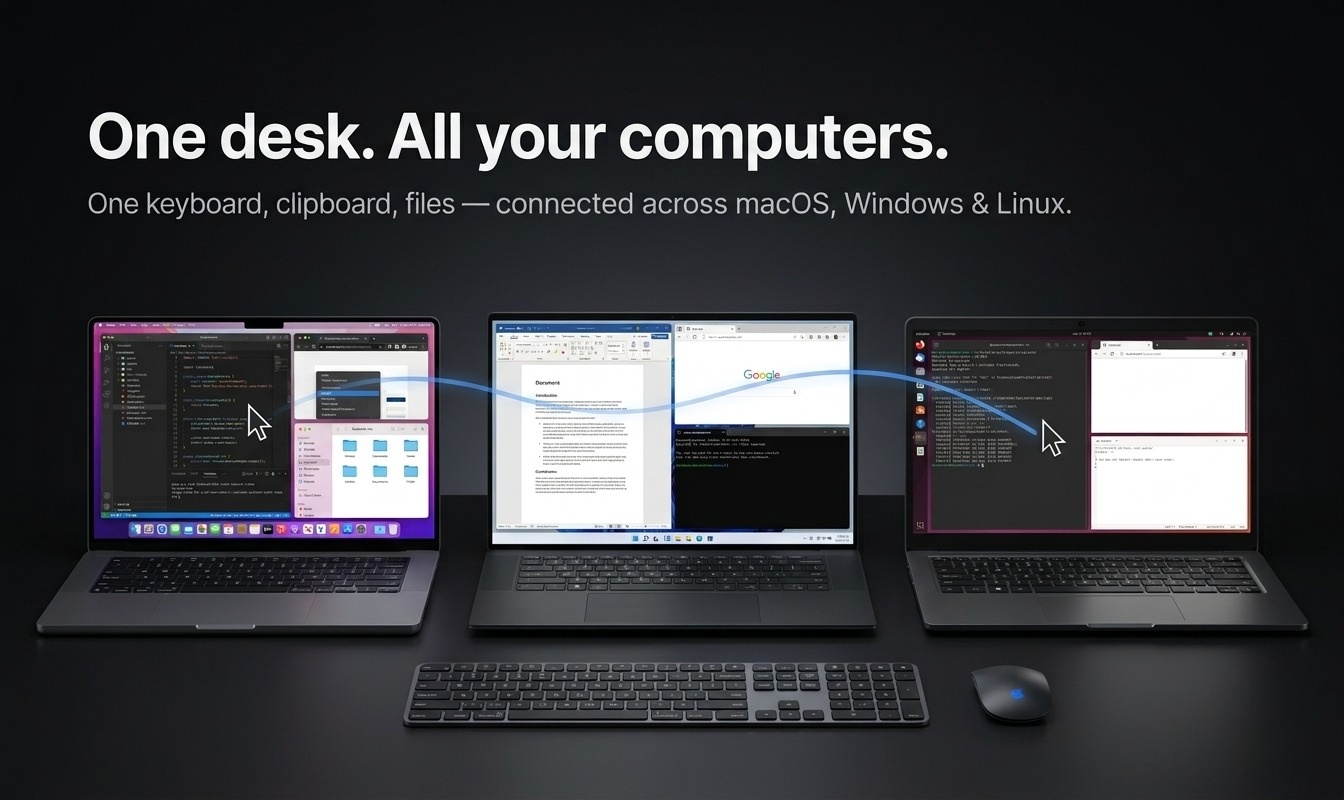
EasySwitch is an innovative software solution designed to seamlessly unify multiple computers running macOS, Windows, and Linux into a single, highly efficient workspace. It empowers users to control all their machines with one keyboard and mouse, share clipboard content effortlessly, transfer files via drag-and-drop, and uniquely, transform another computer into a real second display. This tool is ideal for professionals and individuals with multi-computer setups, such as developers, designers, or anyone looking to streamline their desk environment and boost productivity.
Furthermore, the unique 'Extend' feature allows users to repurpose an old laptop or a secondary PC as an additional monitor, providing valuable screen real estate for dashboards, reference materials, or secondary applications. This not only enhances multitasking capabilities but also breathes new life into underutilized hardware, creating a truly unified 'one desk' experience.
Key Features:
- Unified Control: One cursor, keyboard, and mouse operate across all linked machines.
- Seamless Clipboard: Copy text, images, and files on one machine and paste them on another, cross-platform.
- Effortless File Transfer: Drag and drop files and folders directly across screen edges between Mac, Windows, and Linux.
- Second Monitor Functionality (Pro): Turn any linked computer into a genuine extended display for your primary machine, operating at 60 fps at native resolution.
- Privacy-First Design: End-to-end encrypted, operates locally (LAN only), no cloud, no account required in the app.
- Cross-Platform Compatibility: Works flawlessly across macOS, Windows, and Linux in any combination.
Use Cases:
EasySwitch solves common pain points for multi-computer users by eliminating the need for multiple peripherals, physical KVM switches, or cumbersome file transfer methods like emailing files to oneself. Developers can easily manage a test server on Linux while coding on a Mac, or designers can leverage specific Windows software without switching their primary setup. It transforms a cluttered desk into a cohesive, integrated environment.Furthermore, the unique 'Extend' feature allows users to repurpose an old laptop or a secondary PC as an additional monitor, providing valuable screen real estate for dashboards, reference materials, or secondary applications. This not only enhances multitasking capabilities but also breathes new life into underutilized hardware, creating a truly unified 'one desk' experience.
Pricing Information:
EasySwitch operates on a freemium model. The 'Free' tier offers mouse, keyboard, clipboard (text, images, and files up to 10 MB), and drag-and-drop functionality for two computers, forever. The 'Pro' version, available for a one-time purchase of $49, extends these capabilities to up to five computers, includes unlimited file transfer, the innovative second monitor feature, and a web bridge for mobile file sharing. A 'Business' tier is available for larger setups (up to 25 computers). All purchases come with a 14-day money-back guarantee.User Experience and Support:
The application is designed as a small, native app that is quick to install, light on memory, and boasts low input latency on a local area network. Setup is straightforward, involving three simple steps: install, pair machines, and arrange them like a multi-monitor layout. Comprehensive documentation, FAQs, and troubleshooting guides are available to assist users, ensuring a smooth and efficient experience.Technical Details:
EasySwitch operates entirely on your local network, with all communications end-to-end encrypted directly between your machines, bypassing any cloud servers. The 'Extend' feature for virtual displays is not screen sharing; instead, it creates a brand-new, empty display that is streamed securely. It leverages hardware encoding where available and supports macOS 13+, Windows 11 (with a one-time driver install), and Linux (GNOME 44+/KDE Plasma 6 on Wayland for creation; X11 can receive).Pros:
- Eliminates multiple peripherals and KVM switches.
- Secure and private (E2E encrypted, no cloud, LAN only).
- Unique and effective virtual display feature.
- One-time purchase for Pro version, no subscription.
- Seamless cross-platform compatibility (Mac, Windows, Linux).
- Low latency and easy setup.
Cons:
- Free tier has a 10 MB file transfer limit.
- Specific OS versions required for display creation (e.g., Windows 11, macOS 13+).
- Windows display feature requires a one-time driver installation.
Conclusion:
EasySwitch stands out as an essential tool for anyone managing multiple computers, offering an elegant and secure solution to unify their workspace. Its innovative features, particularly the ability to turn another computer into a second monitor, significantly enhance productivity and desk ergonomics. Explore EasySwitch today to transform your multi-computer setup into a single, powerful workstation.Comments
Comments will be available once the project is launched.
Publisher

Launch Date2026-11-20
Platformdesktop
Pricingfreemium
Tech Stack
#desktop
Outbid
View🥇 🥈
🥈 🥉
🥉
Want this spot? Pay what you wantBest Launch Directories: launch directories with DR, traffic and pricing
Launch directories, product launch platforms and startup listing sites in one table, with Domain Rating by Ahrefs, traffic where known, pricing and link type for each.
$50
Boost Your Domain Rating — DoFollow Backlinks (DR 30–70) from $30
Raise your Ahrefs Domain Rating with 5 - 50 dofollow backlinks from DR 30–60 sites — from $50, guaranteed to improve your DR or your money back.
$45
DirEasy - The Best Directory Boilerplate with AI | DirEasy
The best directory boilerplate, packed with AI, Listings, Payment, Submission, CMS, Blog, Authentication, Newsletter, SEO and more.
$41