
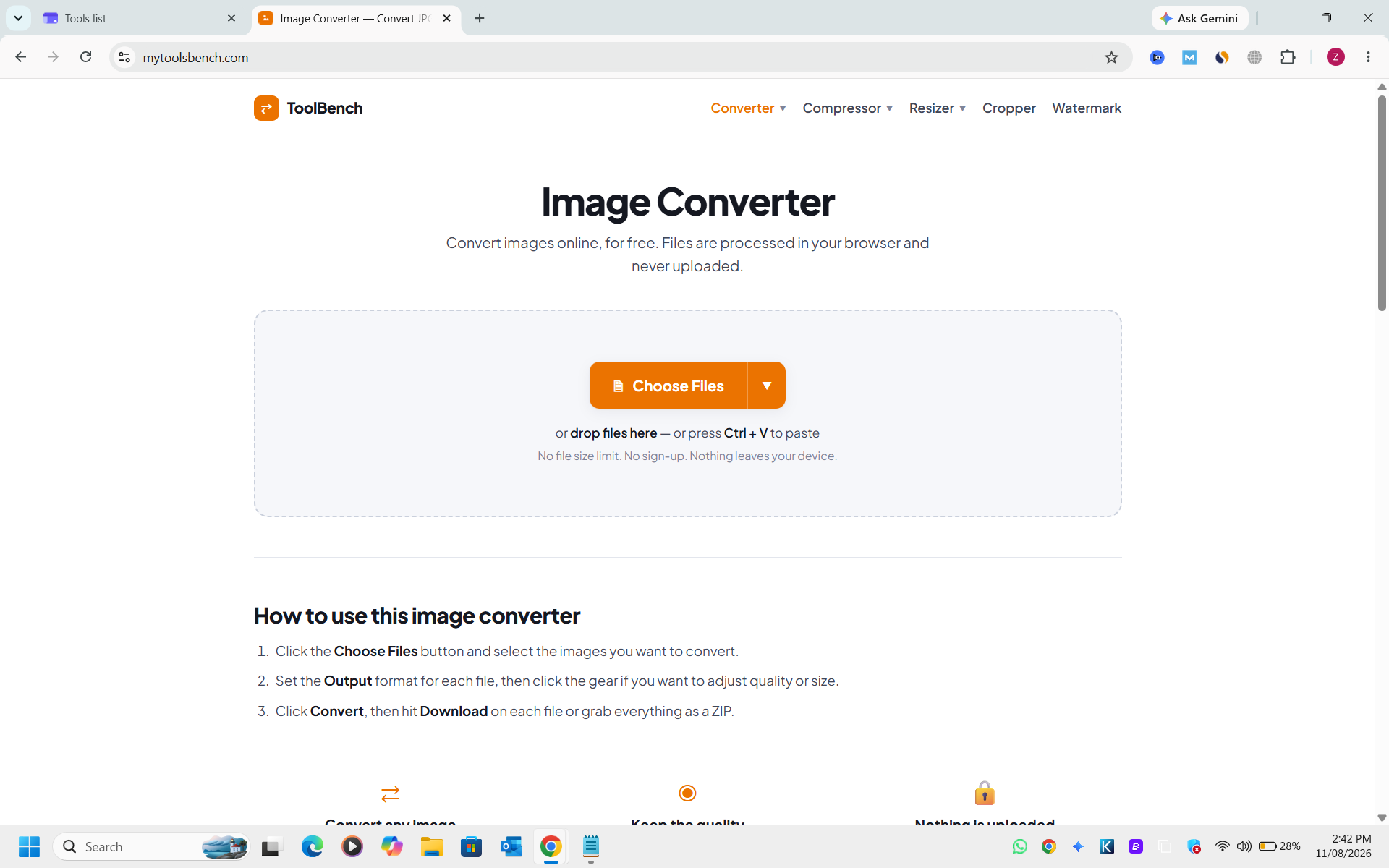
ToolBench Image Converter is a free, browser-based SaaS tool designed for effortless online image conversion and manipulation. It allows users to convert various image formats like JPG, PNG, WebP, and AVIF directly within their browser, ensuring complete privacy as files are never uploaded to a server. This tool is ideal for anyone needing quick, secure, and flexible image format changes, from web developers optimizing assets to casual users preparing photos for sharing.
Key Features
- In-browser processing: Files are never uploaded, ensuring privacy and security.
- Wide format support: Converts to/from JPG, PNG, WebP, AVIF, GIF, BMP, TIFF, ICO, and PDF.
- Per-file control: Adjust output format, quality, and size for individual images in a batch.
- No file size or count limits: Unlike server-based converters, there are no restrictions.
- Smart transparency handling: Converts transparent areas to white instead of black for JPG output.
- Integrated tools: Includes compression, resizing, cropping, and watermarking functionalities.
Use Cases
Web developers can optimize images for faster loading times by converting to WebP or AVIF, or compress existing images without changing format. Graphic designers can prepare assets for different platforms, ensuring correct dimensions and file types. Content creators can easily convert screenshots to JPG for blogs, create favicons from logos, or turn multiple photos into a single PDF document. Everyday users can resize images for social media (e.g., Instagram, YouTube presets) or add watermarks to protect their photos, all without needing complex software.Pricing Information
ToolBench Image Converter is completely free to use. There are no hidden costs, sign-ups, or premium features, making it an accessible solution for all users.User Experience and Support
The user interface is intuitive and straightforward, featuring a drag-and-drop area and clear buttons for file selection and conversion. Instructions are provided directly on the page, guiding users through the process. Since all processing happens client-side, there's no traditional 'support' in terms of server issues, but the tool's design aims for self-sufficiency and ease of use.Technical Details
The platform leverages the browser's Canvas API for all image processing, ensuring that operations are performed locally on the user's device. This client-side architecture eliminates the need for server uploads, enhancing privacy and performance.Pros and Cons
Pros:- Complete privacy: Files never leave your device.
- No limits: Unlimited file size and count.
- Free to use: No cost, no sign-up required.
- Versatile: Supports many input/output formats with advanced controls.
- Integrated tools: Compressor, resizer, cropper, watermark tool built-in.
- Browser-dependent: Performance can vary based on device and browser capabilities.
- Limited output formats: Cannot write formats like EPS, PSD, SVG, TGA due to browser limitations.
- No cloud sync: Files are local, so no cross-device access without manual transfer.
Conclusion
ToolBench Image Converter offers a robust, private, and free solution for all your image conversion and manipulation needs. Its unique client-side processing model sets a new standard for online image tools, prioritizing user privacy and convenience. Explore ToolBench today for secure and efficient image handling.Comments
Publisher

Launch Date2026-10-04
Platformweb
Pricingfree
Tech Stack
#web
Outbid
View🥇 🥈
🥈 🥉
🥉
Want this spot? Pay what you wantSubmit Your Startup to 100+ Directories | Submitator
Automated startup directory submission service. Get listed on Product Hunt, BetaList, Indie Hackers & 100+ directories for SEO backlinks and DR boost. From $29.
$40
Boost Your Domain Rating — DoFollow Backlinks (DR 30–70) from $30
Raise your Ahrefs Domain Rating with 5 - 50 dofollow backlinks from DR 30–60 sites — from $50, guaranteed to improve your DR or your money back.
$35
DirEasy - The Best Directory Boilerplate with AI | DirEasy
The best directory boilerplate, packed with AI, Listings, Payment, Submission, CMS, Blog, Authentication, Newsletter, SEO and more.
$30